




Skip to content
View in the app

A better way to browse. Learn more.

Pride of Nottingham (Notts County Community)

A full-screen app on your home screen with push notifications, badges and more.

To install this app on iOS and iPadOS
  1. Tap the Share icon in Safari
  2. Scroll the menu and tap Add to Home Screen.
  3. Tap Add in the top-right corner.
To install this app on Android
  1. Tap the 3-dot menu (⋮) in the top-right corner of the browser.
  2. Tap Add to Home screen or Install app.
  3. Confirm by tapping Install.
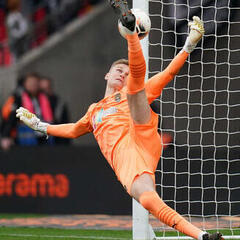
Cal Roberts and the Moments That Defy Description
Featured Story

Cal Roberts and the Moments That Defy Description

Read the full story
Graham
Why Harrogate Town Might Have Taught Us the Key Lesson of the Season
Featured Story

Why Harrogate Town Might Have Taught Us the Key Lesson of the Season

Read the full story


Graham
Understanding The Reedtz Vision for Notts County
Featured Story

Understanding The Reedtz Vision for Notts County

Read the full story
Graham

League Table

View full table
PosTeamPGDPts
12 Milton Keynes Dons 13 +2 18
13 Wycombe Wanderers 13 -2 18
14 Leyton Orient 13 +5 17
15 Burton Albion 14 -3 17
16 Stevenage 12 +4 16
17 Notts County 12 -1 14
18 AFC Wimbledon 13 -12 13
19 Blackpool 12 -4 12
20 Doncaster Rovers 13 -8 12
21 Wigan Athletic 14 -11 11

Topics & Posts

View all
  1. Player of the season race - 1/4 season mark

  2. Bromley v Notts postponed.

  3. 3rd Nov 1981 #Notts v F*rest

  4. Weekly Chat Monday 2nd to Sunday 8th November

  5. The power of teaching...

Recent Results & Next Game

31/10/26 Mansfield Town v Notts County 0 - 2 W
24/10/26 Notts County v Stockport County 1 - 1 D
20/10/26 Notts County v Sheffield Wednesday 2 - 0 W

Next Fixture 21/11/26 15:00
Notts County VS Stevenage
League One Meadow Lane, Nottingham

Notts Alumni

Celebrating the players who wore the black and white with pride. Their stories. Their legacy. Our history.

View all alumni


More Alumni Stories

Graham
Community Highlight

Member Spotlight

Graham is part of the Pride of Nottingham community, alongside the latest articles, fixtures, league data and discussions.

1,566Members
356Online Now
14,333Topics
59,176Posts

Account

Navigation

Search

Search

Configure browser push notifications

Chrome (Android)
  1. Tap the lock icon next to the address bar.
  2. Tap Permissions → Notifications.
  3. Adjust your preference.
Chrome (Desktop)
  1. Click the padlock icon in the address bar.
  2. Select Site settings.
  3. Find Notifications and adjust your preference.