




- Comment on the Richard Montague interview here
- Who should be recruited in January? Read this excellent recruitment doc from member ARLukomski
- PoN member McPie asks have we progressed under Martin Paterson? Join the conversation here.
- PoN member theAnticlough poses a new set of questions about the team, click here.
- Notts confirm Belshaw signing
- 👋🏻 Welcome the newest members of Pride of Nottingham! Drop by and say hello, it’s always great to see fresh faces joining the community. 🫱🏼🫲🏼
- 👀 Check out our activity stream to see the latest content as it happens live. Join in with the conversation on Pride of Nottingham.
- Got thoughts on Notts? Share them and help Pride of Nottingham hit its content target! 🏁
- Reply to and read discussions without leaving your screen. Check out the Pride of Nottingham 'Topic Feed', which brings you all the latest content from our community forum in one place.
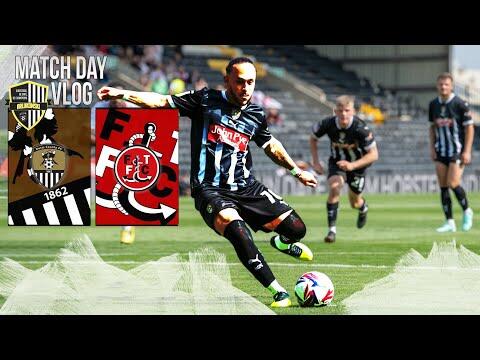
ARLukomski's Vblogs
283 videos
-

- 0 Comments
- 305 Total Views
-

- 0 Comments
- 321 Total Views
-
- 0 Comments
- 339 Total Views
-

- 1 Comments
- 480 Total Views
-

- 0 Comments
- 367 Total Views
-

- 0 Comments
- 375 Total Views
-

- 0 Comments
- 440 Total Views
-

- 0 Comments
- 521 Total Views
-

- 0 Comments
- 418 Total Views
-

- 0 Comments
- 487 Total Views
-

- 0 Comments
- 426 Total Views
-

- 0 Comments
- 293 Total Views
-

- 0 Comments
- 300 Total Views
-

- 0 Comments
- 295 Total Views
-

- 0 Comments
- 333 Total Views
-

- 0 Comments
- 352 Total Views
-

- 0 Comments
- 328 Total Views
-

- 0 Comments
- 277 Total Views
-

- 0 Comments
- 347 Total Views
-

- 0 Comments
- 340 Total Views
-

- 0 Comments
- 391 Total Views
-

- 0 Comments
- 370 Total Views
-

- 0 Comments
- 474 Total Views
-

- 0 Comments
- 367 Total Views
-

- 0 Comments
- 276 Total Views
