





I’m going to enjoy my pint tonight. YOUPIES!
- Comment on the Richard Montague interview here
- Who should be recruited in January? Read this excellent recruitment doc from member ARLukomski
- PoN member McPie asks have we progressed under Martin Paterson? Join the conversation here.
- PoN member theAnticlough poses a new set of questions about the team, click here.
- Notts confirm Belshaw signing
- 👋🏻 Welcome the newest members of Pride of Nottingham! Drop by and say hello, it’s always great to see fresh faces joining the community. 🫱🏼🫲🏼
- 👀 Check out our activity stream to see the latest content as it happens live. Join in with the conversation on Pride of Nottingham.
- Got thoughts on Notts? Share them and help Pride of Nottingham hit its content target! 🏁
- Reply to and read discussions without leaving your screen. Check out the Pride of Nottingham 'Topic Feed', which brings you all the latest content from our community forum in one place.




I am very much enjoying this site, it's great to see fans discussing Notts in such depth and interesting takes. 👍🏻


Roberto Gagliardi’s reign at Notts: shorter than a queue for pies at half-time. New blog on the fallout.

Feeling Good tonight. A great win against a very tough team at their place. Hope the team can now push on with renewed Confidence.
Proud grandad here, Chloe got amazing exam results for her GCSE’s in spite of numerous issues she’s has faced this term. Onto college now, then university hopefully.
Praying for a Notts win this Wednesday evening. COYP.
I'm worried about my club. Hope Notts can get two positive results next week at ML.


Tomorrow against Wigan, some of the players who don’t usually start will have a good chance to show what they can do. If they play well, they might earn a spot in the starting eleven.
Notts needs to improve fitness levels, especially for key players like Barry Cotter.

Tomorrow promises an exciting return to Meadow Lane, where I can fully immerse myself in the vibrant atmosphere of the KOP. While I plan to capture some photos, my primary focus will be on the exterior of the stadium, the stands, and the less crowded areas. 👍🏻📸
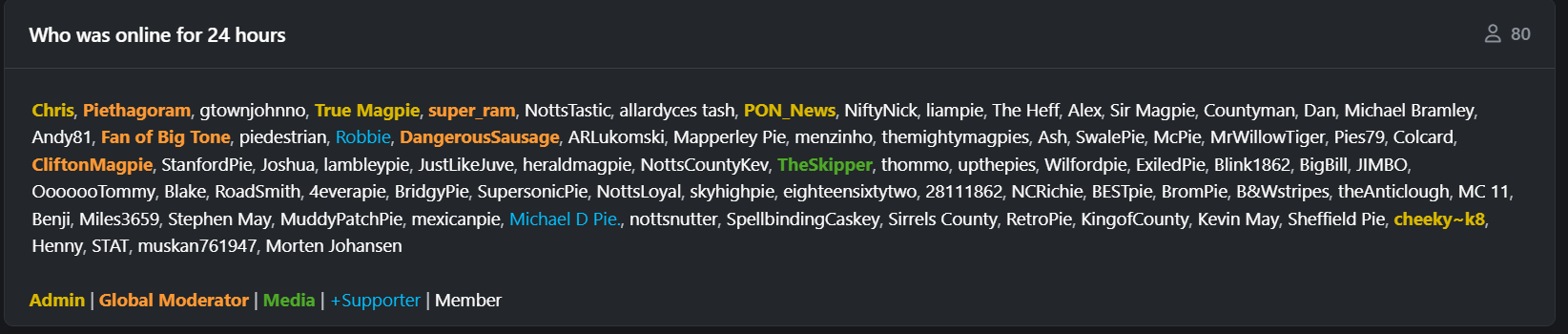
I am sure we have, but it's been a while since I recall seeing 80 members online. It's encouraging to see, and the effort the community is putting in is brilliant to see. Targets and goals are a bit of fun, but I would love to see us try to reach 100. 🖤🤍
Go read the latest update. 👇🏻👀