




- Comment on the Richard Montague interview here
- Who should be recruited in January? Read this excellent recruitment doc from member ARLukomski
- PoN member McPie asks have we progressed under Martin Paterson? Join the conversation here.
- PoN member theAnticlough poses a new set of questions about the team, click here.
- Notts confirm Belshaw signing
- 👋🏻 Welcome the newest members of Pride of Nottingham! Drop by and say hello, it’s always great to see fresh faces joining the community. 🫱🏼🫲🏼
- 👀 Check out our activity stream to see the latest content as it happens live. Join in with the conversation on Pride of Nottingham.
- Got thoughts on Notts? Share them and help Pride of Nottingham hit its content target! 🏁
- Reply to and read discussions without leaving your screen. Check out the Pride of Nottingham 'Topic Feed', which brings you all the latest content from our community forum in one place.


Robbie
+Supporters
-
Joined
-
Last visited
Subscriber
Subscriber
Everything posted by Robbie
-
Your Sunday Weather 4cast.
-
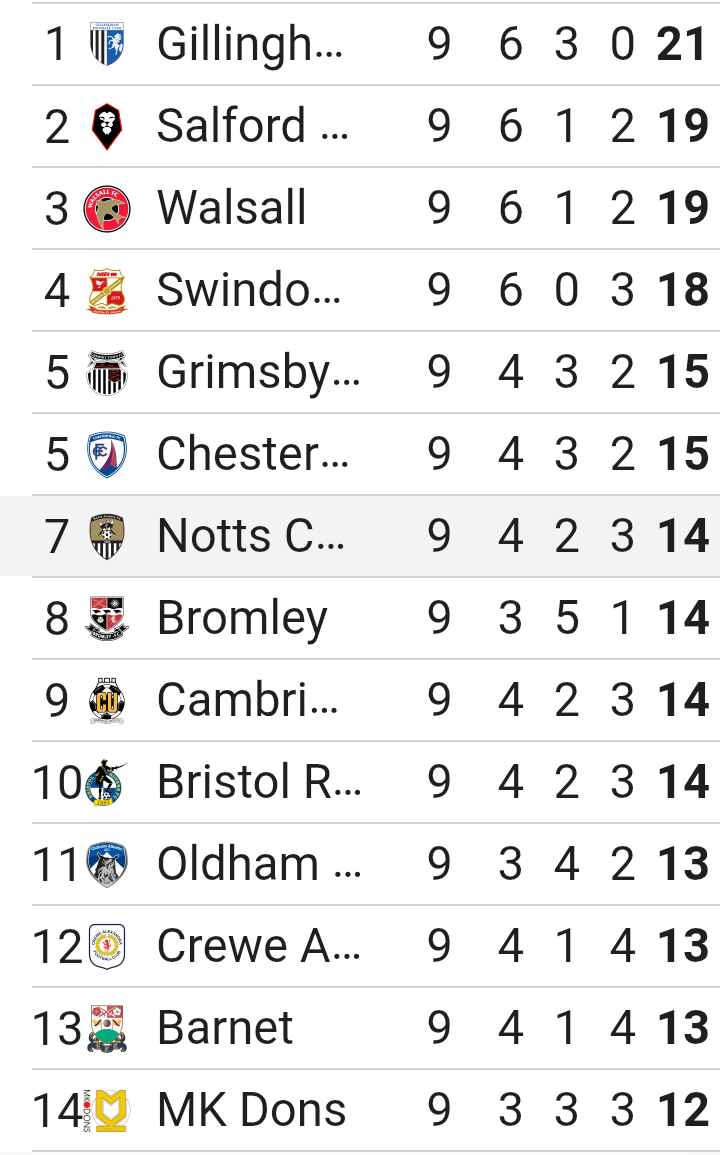
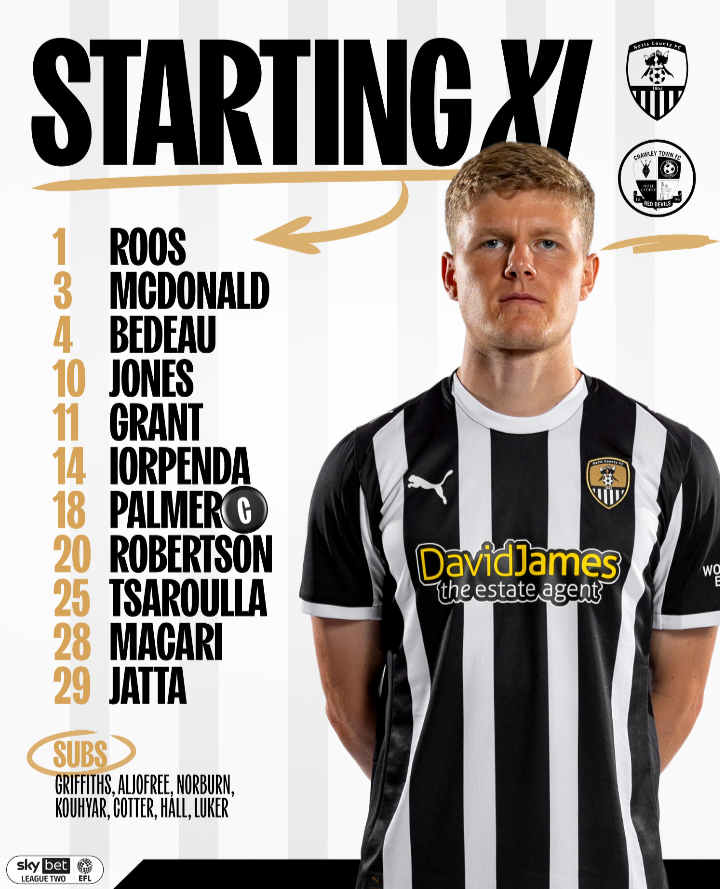
Connections Puzzle #833 🟨🟨🟨🟨 🟪🟩🟪🟩 🟦🟦🟩🟦 🟦🟦🟦🟦 🟩🟩🟩🟩 🟪🟪🟪🟪Strands #567 “Stand by me” 🟡🔵🔵🔵 🔵🔵#waffle1339 4/5 🟩🟩🟩🟩🟩 🟩⭐🟩⭐🟩 🟩🟩🟩🟩🟩 🟩⭐🟩⭐🟩 🟩🟩🟩🟩🟩 🔥 streak: 6 wafflegame.netWordle 1,555 5/6 ⬜⬜⬜⬜🟨 🟩⬜🟨⬜🟨 🟩🟩🟩🟩⬜ 🟩🟩🟩🟩⬜ 🟩🟩🟩🟩🟩A big welcome from me @KatrinaPIE & welcome to our PON community.It was a very good team performance today, with some outstanding individual performances too. I would like to single out the following players, Macari, Robertson, Jones, Jatta, Luker & Hall who all stood out for me Any one of those six players could have been chosen as the player of the match. Luker particularly, with three outstanding assists in 25 minutes, under normal circumstances could have probably run away with the award. However, I am going to agree with others by choosing Scott Robertson as My PON Man of the Match for his outstanding performance above & beyond the rest.I'm so happy for Martin Paterson & the Notts team tonight. This result will hopefully give the whole club a big boost. It was great to see Macari & Robbo back in the team & they both performed very well. jatta got his first goal of the season, hopefully the first of many. I think the biggest development was putting Jodi back on the wing where he definitely belongs. He was a handful for Crawley & Notts could have easily put those opportunities created by Jodi away in that first half. And what about Those two super subs, Luker & Hall. Three assists for Luker & two goals for Hall in that 2nd half. I want to also mention that Notts back three plus Roos who managed to get a clean sheet ably assisted by Palmer & Robbo. Should Notts continue to persist with two strikers when Dennis returns? This result will certainly give Martin a headache but I'm sure he won't mind that. Hopefully, Martin will have learned a few things today. Macari & Robbo need to start matches & the performances of Luker & Hall in the 2nd half will certainly give Martin options. The result of today sees Notts in 7th place in the table. Certainly something to build on going forward.Notts have given their best performance of the season with a fantastic 4:0 win over Crawley today. Four great goals, a clean sheet, Two goals for Hall, & three assists for Luker. Jodi back on the wing and back to his best Robbo back and scoring a screamer & Jatta getting his first goal of the season And let us not forget the defence that achieved a shut out, with Macari returning to the back three All in all a great all round team performance. But who are you going to pick for your PON Man of the Match from all of those great performances. Only one can win. I have chosen the following players for you to choose your M of the M Roos, Macari, McDonald, Bedeau, Tsaroula, Palmer , Robertson, Jones, Iorpenda, Grant, Jatta, Luker, Hall.



Important Information
Pride of Nottingham uses cookies to ensure you get the best experience on our website. To approve, simply continue using the site or click 'I accept' Terms of Use.